Solution
Post-processing and root cause analysis
Decode traces, link each degradation to its position, measurements and messages, and establish its cause.
FAQ
Questions about this solution
Which traces can AKCELL Analyzer open?
Test-device diagnostic traces, measurement files from third-party drive test tools, IP captures and AKCELL Mobile sessions; traces from dual-SIM devices are split by subscription. The detailed list of formats is given in the AKCELL Analyzer datasheet.
How does AKCELL Analyzer assign a cause to low throughput?
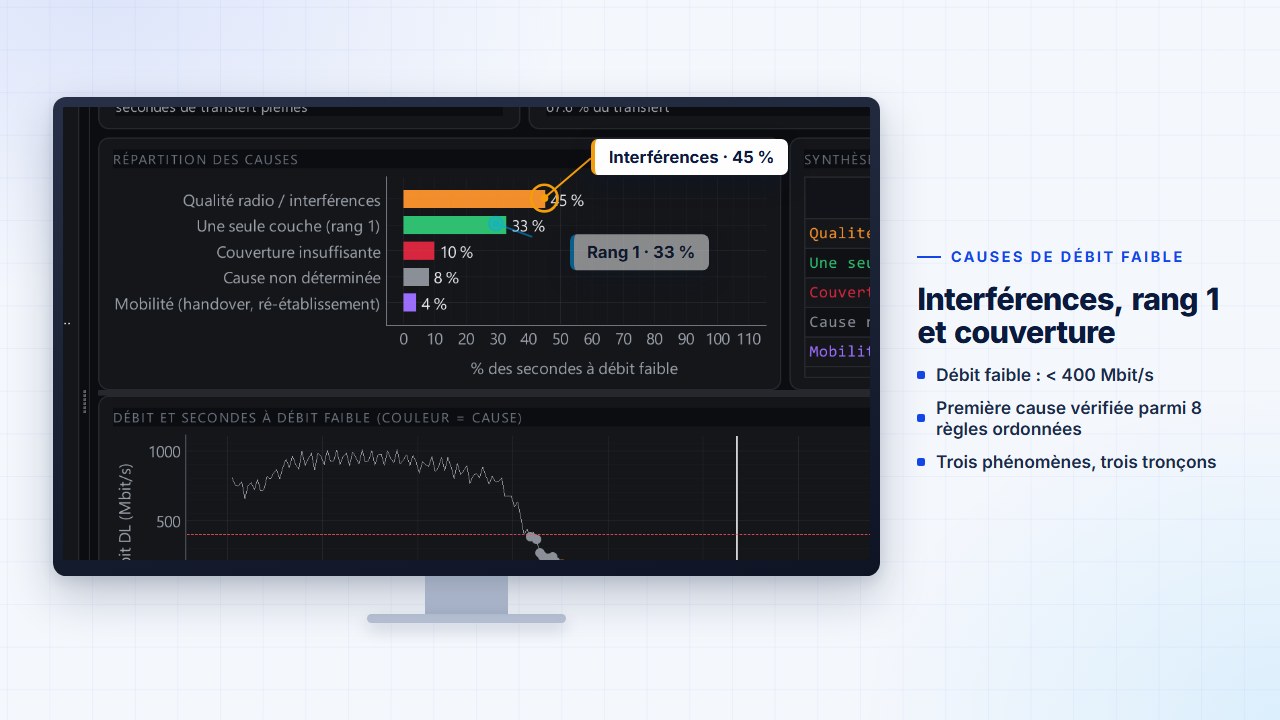
Each second of data transfer whose downlink throughput is below the threshold receives the first verified cause, in a documented order: mobility, coverage, radio quality, BLER, share of allocated slots, RB, rank, MCS. Thresholds are adjustable; a second with no obvious radio cause is classified as “undetermined”, never forced into a category.
Are the detected events configurable?
Yes. Coverage hole, degraded SINR, high BLER, pilot pollution, dominant neighbor without handover, uplink power limitation, ping-pong: each threshold (level, window, duration) is set in Tools › Event thresholds. Signaling events are linked to the message that carries them.
Documentation
 3 min 44 s
Video · 3 min 44 s
Case studies: three RF investigations
Degraded 5G throughput on an urban route, uplink noise rise on a shared DAS, pilot pollution on a high floor: three investigations replayed in AKCELL Analyzer, from symptom to verification after correction.
Technical note · Method · Optimization
Throughput root cause analysis: an eight-rule method
Assign each second of degraded throughput its first verified cause, from the most fundamental to the finest: method, thresholds and interpretation pitfalls.
6 min · October 11, 2026
Technical note · Method · Voice
VoLTE: reading a call in the traces, from precondition to release cause
A VoLTE call is read across three threads at once — radio, SIP and RTP. Setup with preconditions, release causes, perceived quality and audit KPIs.
5 min · October 11, 2026